

Computer shortcut keys help users work faster and are frequently asked in SSC, रेलवे, बैंकिंग, पुलिस, and other competitive exams. Here are the most important shortcut keys every student should know.
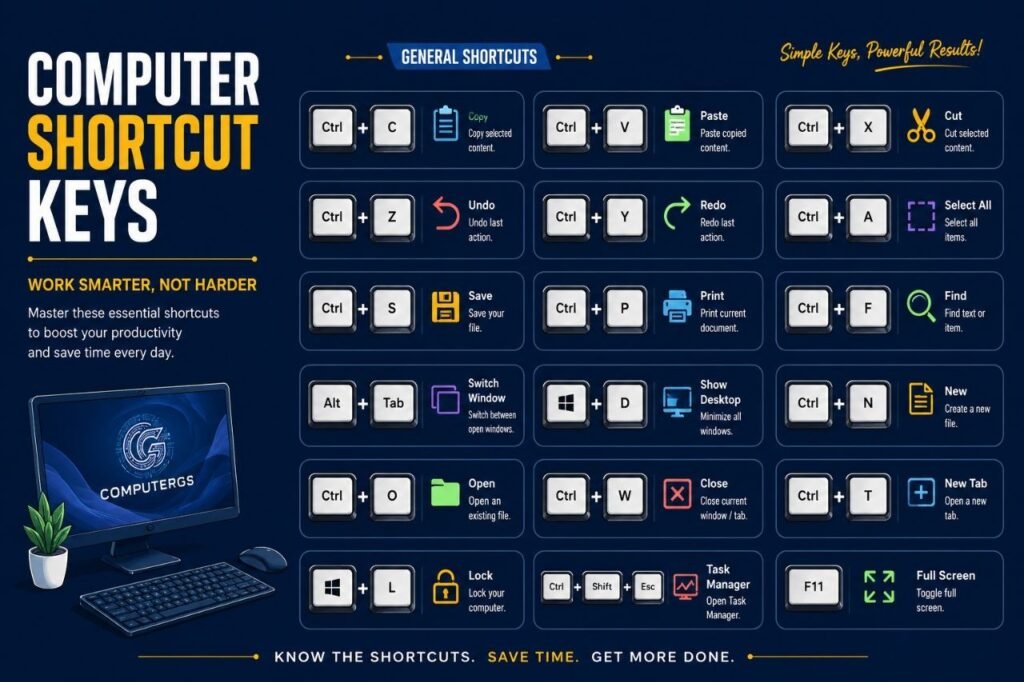
Top Computer Shortcut Keys
| Shortcut Key | Function |
|---|---|
| Ctrl + C | Copy |
| Ctrl + V | Paste |
| Ctrl + X | Cut |
| Ctrl + Z | Undo |
| Ctrl + Y | Redo |
| Ctrl + A | Select All |
| Ctrl + S | Save |
| Ctrl + P | |
| Ctrl + N | New File/Window |
| Ctrl + O | Open File |
| Ctrl + F | Find |
| Ctrl + H | Replace |
| Ctrl + B | Bold Text |
| Ctrl + I | Italic Text |
| Ctrl + U | Underline Text |
| Ctrl + T | New Tab |
| Ctrl + W | Close Tab |
| Ctrl + Shift + T | Reopen Closed Tab |
| Alt + Tab | Switch Between Windows |
| Alt + F4 | Close Active Window |
| Windows + D | Show Desktop |
| Windows + E | Open File Explorer |
| Windows + L | Lock Computer |
| Windows + R | Open Run Command |
| Windows + Tab | Open Task View |
| Ctrl + Shift + Esc | Open Task Manager |
| Ctrl + Alt + Delete | Security Options |
| F1 | Help |
| F2 | Rename File |
| F5 | Refresh |
| F11 | Full Screen Mode |
| Shift + Delete | Permanently Delete File |
| Ctrl + Home | Go to Beginning |
| Ctrl + End | Go to End |
| Ctrl + Backspace | Delete Previous Word |
| Ctrl + Arrow Keys | Move Between Words |
| Esc | Cancel Current Task |
| PrtSc | Take Screenshot |
| Alt + Enter | Open Properties |
| Ctrl + D | Bookmark Current Page |
Why Shortcut Keys Are Important?
✅ Save Time
✅ Increase Productivity
✅ Improve Computer Efficiency
✅ Frequently Asked in Government Exams
Best Preparation Tips
- Practice shortcut keys daily
- Use them while studying on computer
- Focus on Windows and MS Word shortcuts
- Revise before exams
Conclusion
Shortcut keys are one of the easiest scoring topics in Computer Awareness. Learn these important shortcut keys regularly to improve both exam performance and computer skills.
